This guide is designed to help you get a sense of the sort of Camcorder you are interested in and some tips on issues to consider before choosing.
Types of Camcorder
The history of consumer video cameras (i.e. not using rolls of film) can be divided into clear phases:
- Cameras using full sized VHS or Betamax tapes either in a seperate tape recorder with a connected camera or with the tape inside the camera. (The classic design with the camera resting on the user’s shoulder is most well known). These are huge and old and finding one that works is increaingly difficult. They are really only for collectors or film prop buyers by now.
- Miniature versions of VHS tapes were designed that could fit inside much smaller cameras, then be loaded into an adapter and hence into your domestic VHS video player to watch. There was standard resolution (240 lines of analogue TV); VHS-C (for compact) and a higher resolution version (480 lines) called Super VHS (SVHS-C). Sony who were still fighting to get their superior Betamax system to compete, brought out the 8mm format. Again, available in a higher resolution version called Hi-8. In almost all cases higher resolution machines can read lower resolution tapes, but not vice versa. So, all Hi-8 cameras can read both 8mm and Hi-8. But only some 8mm machines can read Hi-8. Likewise for VHS-C and SVHS-C. The same applies to the tapes, Hi-8 and SVHS-C can only be recorded onto tapes specifically made for the higher resolution format. Machines of this era exist in huge quantities and perfectly working examples can be found, although they are old and delicate, so the majority will be dead or dying by now.
- Digital 8 is a format brought out by Sony using the same tapes as 8mm. However, it is a digital recording and much better quality and there are some excellent Digital 8 camcorders. However, it was very much an interim stage and comparatively few exist. Notably not all Digital 8 Camcorders can read 8mm/Hi8 tapes even though they are physically the same tape (although some can), so if you need to do both, it is necessary to check the specifications carefully.
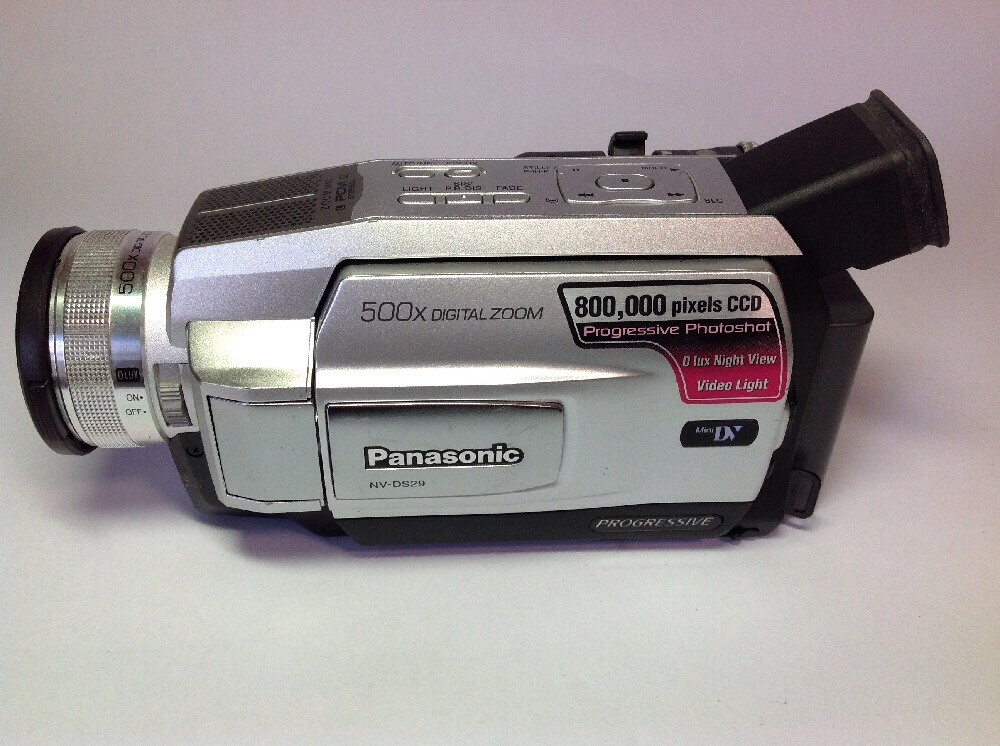
- Mini-DV. This was the final tape based storage and the tiny tapes and the fact that the format was common to all manufacturers make this far and away the most common camcorder format. The recording standard and hence essential image quality is the same and tapes can be shared between devices. (Note there was an even smaller format called Micro DV and cameras could be smaller. However, they cannot work with mini DV tapes).
- DVD Cams. Very similar designs to comparable Mini-DV cameras came with recordable DVD drives using smaller 7cm DVD discs. These were extremely convenient as the finalised disc could be played directly in a domestic DVD player or files transferred to computer directly. However, these do not command high prices, because most older camcorders are sold as player devices and in this case the player was always intended to be separate. So, if you want a really high quality retro camcorder to make movies, then this is the format for you.
 Solid state storage. Camcorders with a built in hard disk drive or that took memory cards (normally SD) are the current standard. Bought today and the video standards are well known, 720p, 1080p High Definition, 4k, etc. However, the earliest versions used less high defintion standards.
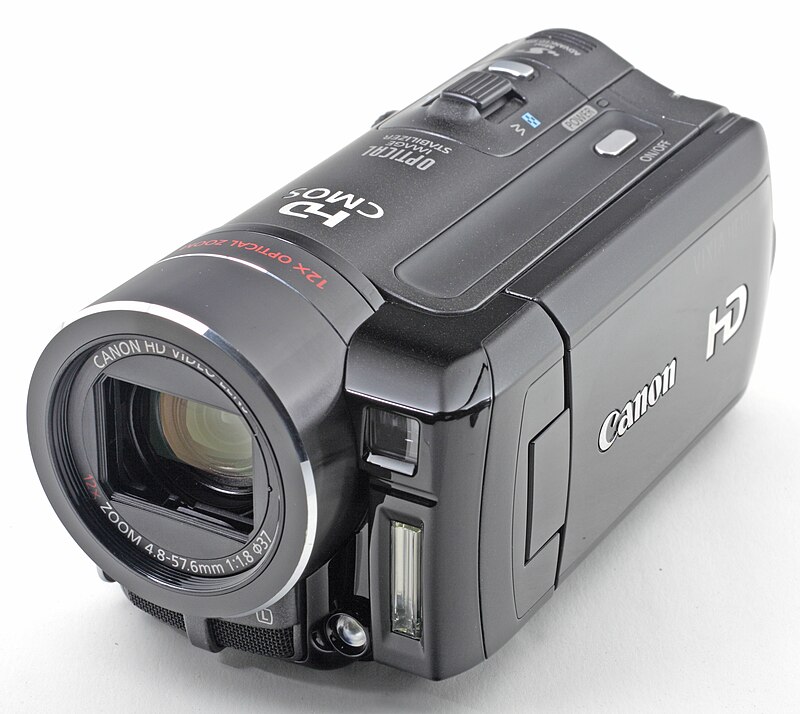 Solid state storage. Camcorders with a built in hard disk drive or that took memory cards (normally SD) are the current standard. Bought today and the video standards are well known, 720p, 1080p High Definition, 4k, etc. However, the earliest versions used less high defintion standards.
Generally there are two classes of buyer. (i) People who are buying a camcorder so that they can play back and potentially upload to their computers, old tapes that they made years ago and for which the original camera has died. (ii) People who want a camera to make movies.
Playing Your Old Tapes
You will know the format of your tapes, so you clearly must choose the correct format of machine, taking care over the issues of VHS-C v SVHS-C, 8mm v Hi-8, Digital 8 and Mini DV formats. 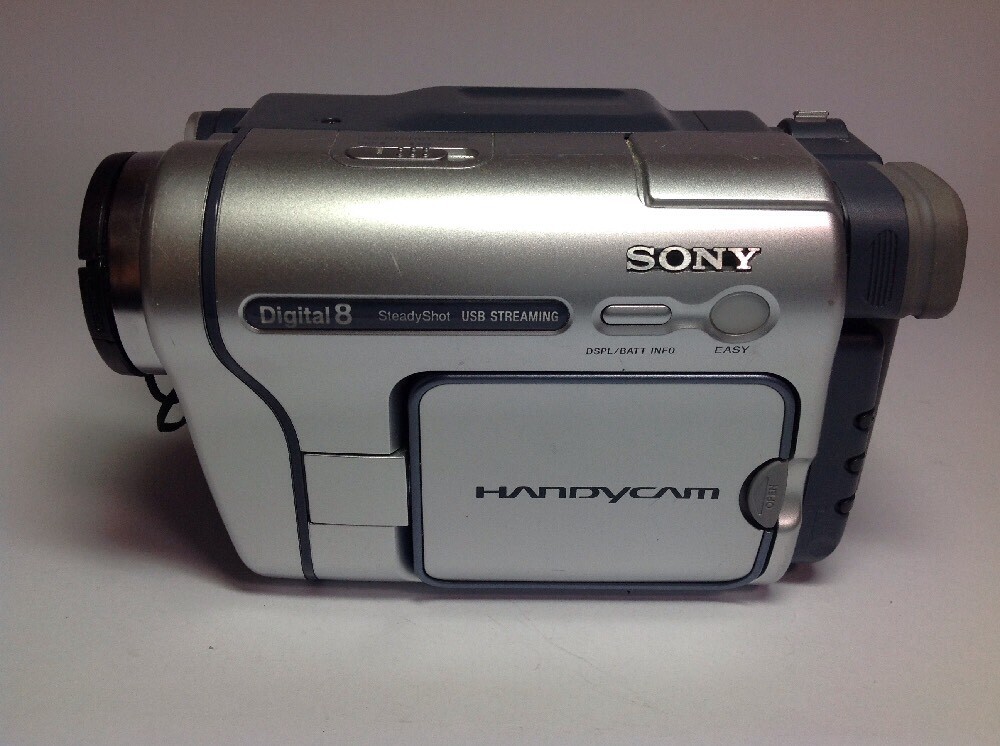 Also, for all analogue formats it is essential that you find a machine designed for the broadcast standard you used. Generally this means looking for a PAL machine. (The incompatible NSTC format is used in North America, however many NSTC machines exist in Europe). With Mini DV this is not an issue for the tapes as they are all digital, but where the camera has an analogue output (the yellow RCA lead) this must be of the correct standard. Machines that only have digital outputs (S-video or Firewire are fine for either standard). Some machines had a Long Play mode which ran the tape more slowly and sacrificed some quality for more running time. It is sometimes the case that recordings made in LP mode on one machine will not work on a different machine. This is not common and impossible to predict. Most people used SP anyway to avoid lowering the quality. However, be aware of the LP, SP (and sometimes even extended EP) issue as some machines need to be manually set.
Now, how do you get to watch? Plugging the output for all but the earliest camcorders directly into your TV is easy if you have Scart socket (or composite RCA sockets), which pretty much any TV does. On the camera, you will have video output generally one yellow RCA socket and one or two red + black for mono/stereo sound. These plug directly into the TV or into a Scart adapter and then into the TV. To get higher resolution output for Hi-8 and SVHS you need an S-video lead which again plugs into a Scart adapter and then to the TV. All of these leads are still very commonly available and very cheap, so don’t worry if your camera does not come with them. The earliest camcorders came with an adapter designed to convert the signal into a broadcast signal which then plugged into your TV aerial socket (normally with a second input and a switch so you could plug the normal aerial in at the same time). This is essential and machine specific. Without it you will not be watching anything, however, only the oldest big and bulky machines need them, so this is not a real worry.
 Finally, how do you get your precious films onto your computer for editing? OK, first, it is not easy. You may think that you can plug them in with a USB cable and you’re away but sadly not. Generally speaking, for analogue formats the solution requires an analogue to digital converter system. These were very popular back in the day. But now, they need a driver that works with operating systems that were not dreamt of by the time they ceased production and they must interact with editing software which has changed radically. Happily the dazzle system that I used in my analogue days is still available and kept up to date, but you will have to invest. This is necessary also for mini-DV unless they have some form of Firewire output. (Called DVi by Canon and iLink by Sony). This was invented by Apple as a fast transfer system for big files. You know it is firewire by the standard name IEEE 1394. A firewire input is common on all but the most recent Apple computers. It is very rare on PCs, however cheap converter cables are available. To make this work you are most likely to need a driver for your camera and possibly connectivity software. Most of the camera manufacturers maintain excellent sites where these can be downloaded (together with the manual). However, they may not keep updating drivers for older machines to work on newer operating systems, so check first. You can get round this, but it is not for the faint hearted.
Making Movies
Modern, professional camcorders still exist. Holding the camera strapped to your palm with zoom controls falling nicely to hand and long range optical zooms is so much better than using your phone, that many people look for a modern solid state camcorder as the best tool for the job. Just check the resolution is good enough for your needs.
 If you are buying a tape or DVD based machine you would only be doing this to get a nice retro feel as the image quality will not be the same as modern formats. Still pretty good, though. You will want a camera that fits your hand and looks the part. The zoom rocker should be easy to use and it should feel right. There are upright designs which look great but don’t always fit a hand hold well. Then decide, do I want a big solid classic or a neat easy to carry lightweight camera? Now, SVHS-C is bulky and since no-one has a VHS tape deck any more, essentially irralevent. However, Hi-8 is a good format and Hi-8 machines do not sell for much if any more than 8mm machines. You do of course have to source Hi-8 tapes, but they are still around and not so expensive. The key features you will look for are; does it have a flip out screen? Is the screen and/or the viewfinder in colour? Does it have night mode (called 0-Lux by many). The Blair Witch project has made Sony’s Nightview mode a major selling feature of 8mm/hi8 camcorders and they sell for quite high prices. However, if it is just Nightview you want then Nightview and Nightview plus are available on DVD and Mini DV Sony’s as well. Also, the other manufacturers did so called 0-lux modes which are very similar. In the analogue era, the quality and zoom length of the lens and the type and number of output sockets would indicate a higher spec. However, with these older, sensitive, complex machines a guarantee of working condition is probably the most important consideration. In the mini DV/DVD era, higher spec machines would have an SD card reader to record stills (pretty pointless now as the resolution will be too low), Firewire output (essential), stereo/better sound/external microphone inputs (up to you), manual controls (focus, zoom and iris, … needs skill to use) and so on.
Which Brand?
Far and away the market leader in terms of quality throughout the tape based analogue era was Sony. They are superbly engineered and built. However, if you just intend to playback old tapes on your TV, then almost any of the major brands (Canon, JVC, Panasonic, Samsung, …) will do well. Since mini DV was universal, the difference in quality is less marked in this era. 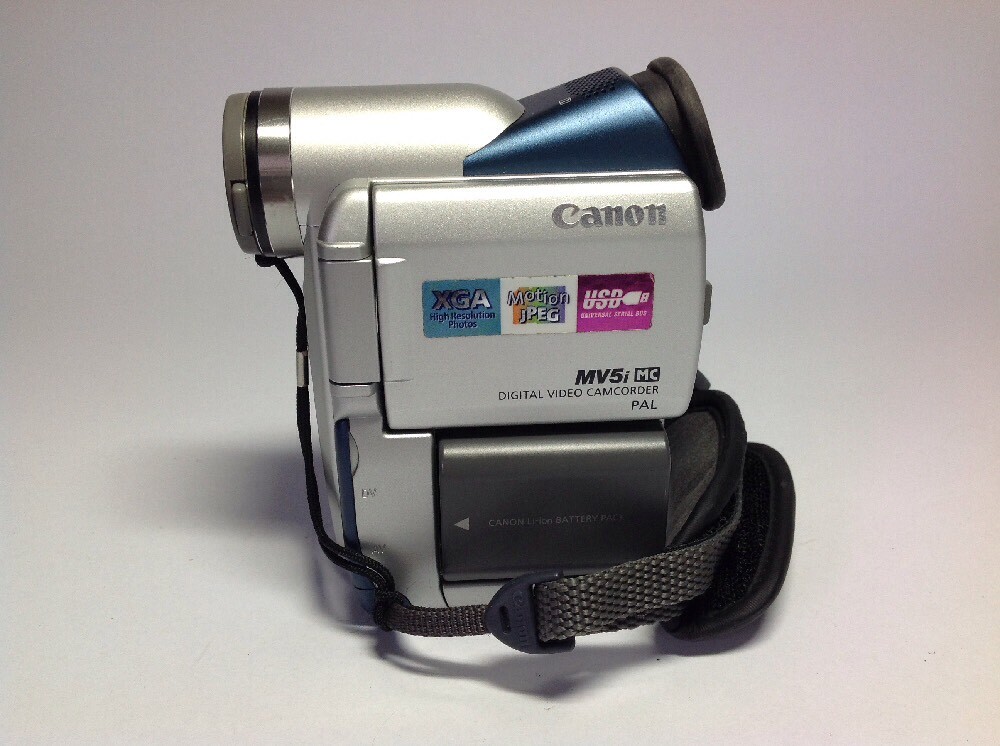 So, it is a matter if personal preference, although I always bought Canon MV series which have a nice balance and are not so expensive. Now I would say that Panasonic, Sony and Canon all made really excellent machines with Samsung catching up and JVC falling behind. In the end, all of the considerations above will make the choice.
Often camcorders have parted company with their accessories. Leads are generally cheap and easy to replace. Manuals are available online for almost any camcorder with a quick search. Batteries and chargers are harder and more expensive, although again the markets of Shenzhen ensure you can find what you want for almost anything. Notice the difference between a charger and a mains adapter. If you want to watch or edit for a long time then you will need an adapter and many chargers do not do this. Also, older batteries will not hold all that much charge, so they are likely to need replacing anyway.
It is hard to give specific examples as there are too many variables, but hopefully this will have given you enough to make the right choice for you.